Prepare the game file
Pokémon Emerald is a Game Boy Advance game. MyBoy runs GBA files; it does not include Emerald or any other game. Prepare your own legally obtained game file. No ROM downloads are provided here.
The developer FAQ lists .gba, .bin, and .zip as supported formats. A ZIP must contain a recognized game file and must not be password protected.
Start Pokémon Emerald in MyBoy
- Put your Emerald file in a folder on your Android device that you can select from the app.
- Open MyBoy and browse to the file. If your version uses a library, add the game folder or select the game through its file picker.
- Choose the Emerald file and wait for the title screen.
- Use the on-screen controls to start your game. The exact import menu can differ between versions.
Set up comfortable controls
Choose portrait or landscape orientation, then use Settings and the layout editor to adjust the controls. Move the D-pad and A/B buttons so you can reach them without covering the game. Keep enough separation for simultaneous presses.
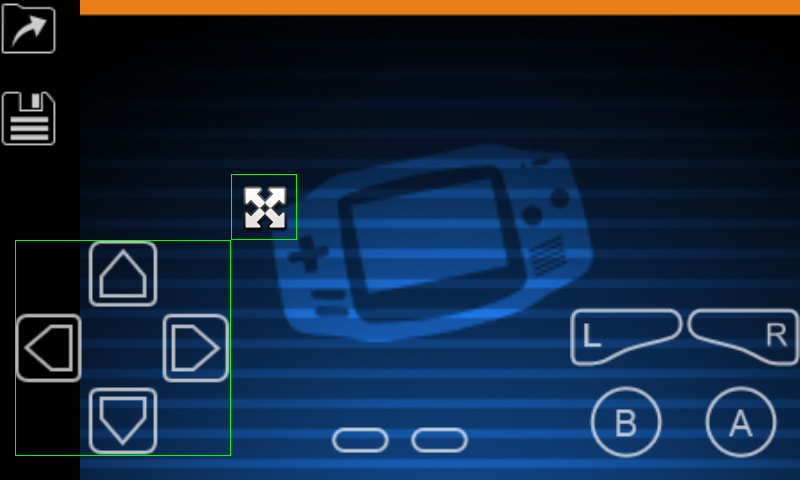
The layout editor lets you change control placement.
Save in the game first
Use Emerald’s own save menu to create a normal game save. MyBoy’s Save state feature separately captures the current emulator session. Continue using normal game saves as well as states; they are not interchangeable files.
Before changing settings or trying a cheat, make a backup you can return to. Read where My Boy saves are located.
Trading and link features
The developer lists link cable emulation, including connections on the same device and over Bluetooth or Wi-Fi. Availability and behavior depend on the app version, game files, and the connection setup. We have not tested Emerald trading with the supplied APK.
The official FAQ says both devices must have both game files when linking two different games. Use its link setup instructions for the server/client steps.
If Emerald will not open
Check that the file is complete and is a GBA game. A Nintendo DS, GB, or GBC file needs a different emulator. If the game worked before, turn off cheats and automatic state loading; incompatible codes or a damaged state may cause startup failures.
Cheat codes must match the game’s region and revision. No cheat code is promised to work with every Emerald file.